Importing data
Every route ends in the same place: an Apache Iceberg table in the lakehouse, versioned through Nessie and subject to the policies. Only the origin differs.
On this page
One entry point for tables and documents
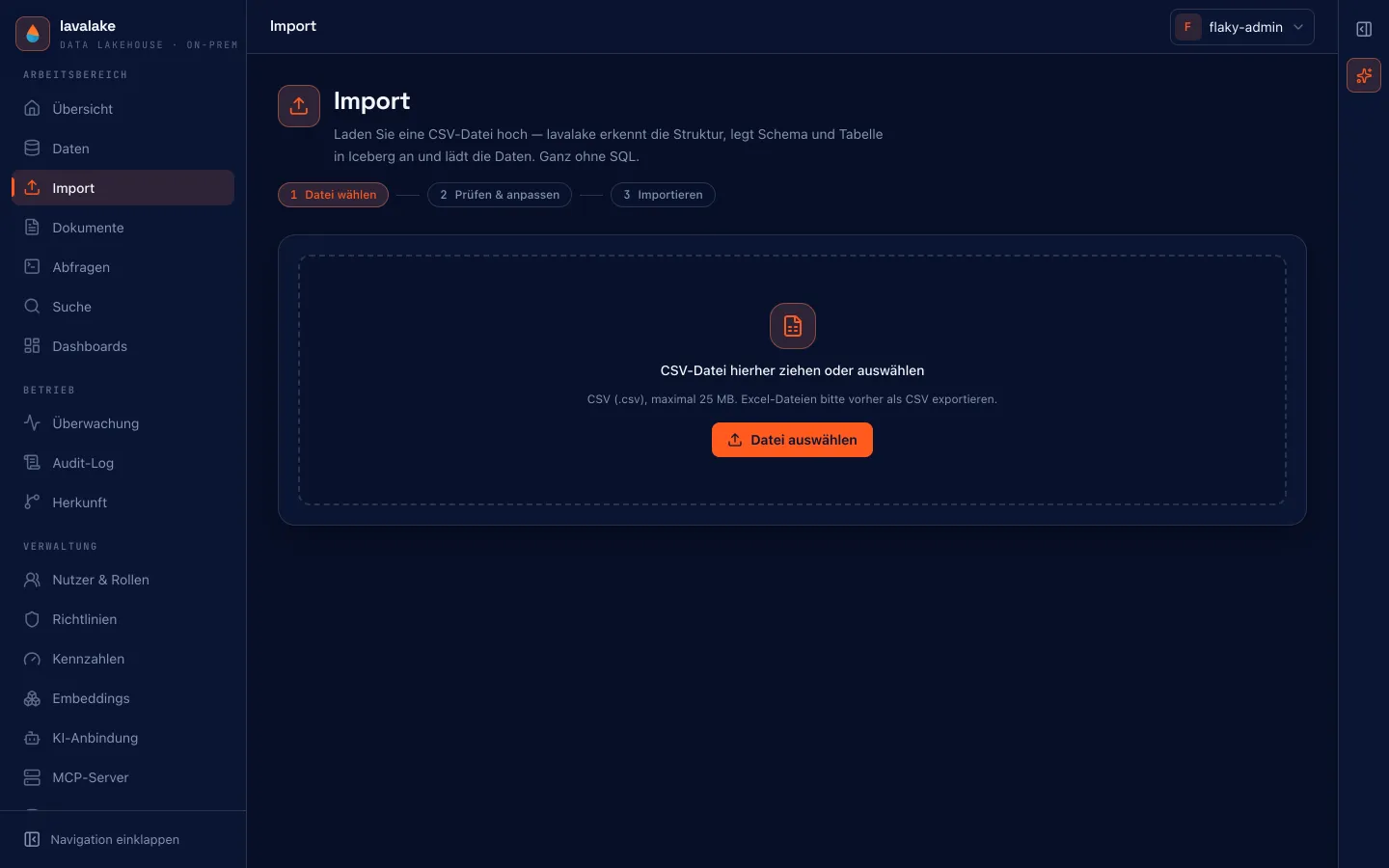
Under “Add data → Upload files”, select CSV or XLSX for table imports and PDF, DOCX, TXT or Markdown for document processing. XLSX reads the first worksheet; save older XLS files as XLSX or CSV first.
Database integration acceptance
PostgreSQL, MySQL, SQL Server and Snowflake have been tested against real systems. SAP, CRM, DATEV and BI target applications still await acceptance. PostgreSQL CDC is optional in Compose; scheduled delta loads remain a separate import path.
Excel, CSV and documents
The usual starting point, found under Daten → “+ Daten hinzufügen” (data → add data). The assistant reads the file, proposes a structure, and lets you revise it before loading — without a line of SQL.
- Override types where detection got it wrong.
- Rename or drop columns.
- Declare null tokens — “N/A” or “-” as empty rather than as text.
- Trim surrounding whitespace and discard duplicates.
Large files report progress row by row while loading. A running import stays visible even if you move on to another page — it is not cancelled because the view changed.
Database connectors
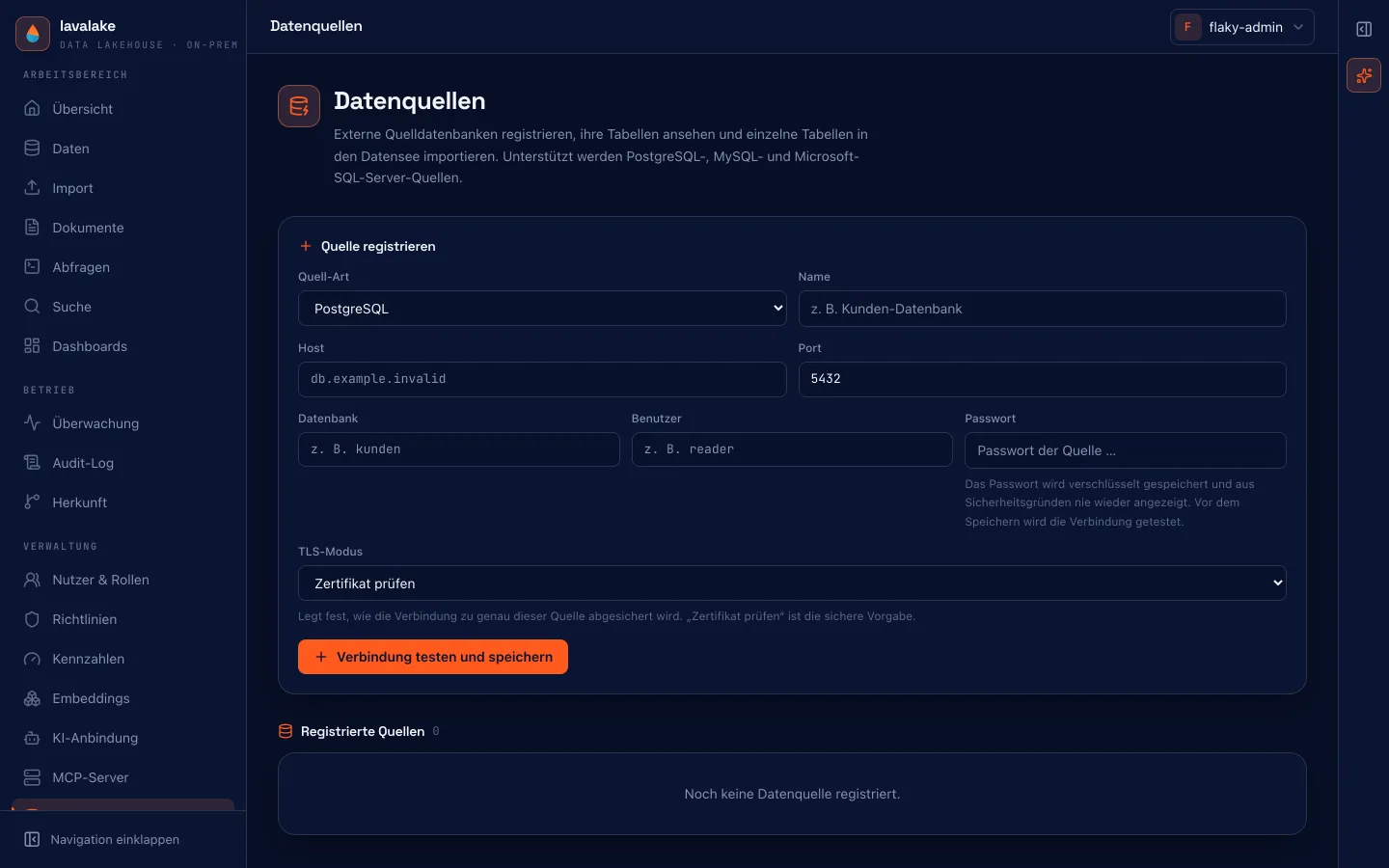
Under Verbindungen → Datenquellen (connections → data sources) you can register existing databases: PostgreSQL, MySQL and Microsoft SQL Server. Individual tables are then imported from them into the lakehouse.
| Property | Behavior |
|---|---|
| Credentials | Stored AES-256-GCM encrypted, never returned or logged. |
| Connection | Read-only. |
| Transport | TLS with certificate verification by default, switchable per source to require or disable. |
| Connection test | Runs through the egress guard — link-local and cloud-metadata addresses are excluded. |
SAP Business One
SAP is registered like any other source — Service Layer address, company database, SAP user, TLS mode. Its entities such as Items, BusinessPartners or Orders then run through the same import pipeline as everything else: there is no second import path and no second type allowlist.
Types come from $metadata
The Service Layer's EDM types map onto the same allowlist the JDBC sources use, decimal places included. What the table does not know lands as text — never as a guessed mapping.
SAP S/4HANA
Under Verbindungen → Datenquellen, choose SAP S/4HANA and enter the gateway address, OData service path, credentials and optional sap-client. Each source connects to one service. OData V2 and V4 are detected from $metadata; the client is preserved across every import page. There is no service catalog browser or ODP/CDS delta extractor.
DATEV export files
EXTF and DTVF files are detected automatically during file import. The first row holds metadata, the second column names; Windows-1252 encoding is handled. Booking values are kept unchanged: debit/credit indicators are not converted to signs and no year is added to a document date. DATEVconnect and the DATEV Cloud API are not part of the integration.
Real-system integration tests
SAP Business One, S/4HANA and DATEV are implemented and tested with simulated counterparts or constructed test files. Tests against real SAP systems and a real DATEV export remain outstanding. Before use, run a small import and compare it with the original.
SAP S/4HANA, DATEV and CRM systems
Alongside SAP Business One, further line-of-business systems read through the same path: SAP S/4HANA through the gateway's OData service, Microsoft Dynamics 365 through Dataverse, plus HubSpot and Salesforce. DATEV files are recognised by their format (EXTF/DTVF), so column names and umlauts come through correctly instead of being treated as ordinary CSV.
OAuth instead of a password in the config
For the SaaS sources an OAuth connection is stored once and reused afterwards. No password ends up in a configuration file.
Documents
Under Daten → Dokumente (data → documents) you upload PDF, Word and text files. They are extracted, split into chunks and embedded; the result lands as a regular table in the lakehouse. Search and policies therefore apply to document content exactly as they do to table data.
Extraction runs sandboxed
PDF and Word are read in a separate worker with a hard timeout. A crafted document gets no further than that worker.
MCP ingestion
When an MCP server is registered — a SAP MCP, say — tabular results from one of its enabled tools can be pulled straight into the lakehouse under Verbindungen → MCP-Ingestion. Only explicitly enabled tools appear in the selection.
lavaflow: assembling pipelines by clicking
Under Jobs → lavaflow sits a visual builder for ETL pipelines: source, steps and target are assembled by clicking instead of typing. Meant for the recurring preparation work that would otherwise end up as SQL snippets in some file.
Fileshare crawler
Instead of uploading files one at a time, you can register a mounted directory. Matching files then run through the same pipelines as an upload. The crawler stays confined to the registered path and is hardened against files being swapped between the check and the access.
Every route stays traceable
Betrieb → Herkunft later shows what a table grew out of and who has read it since.
Applies to: This page describes lavalake 0.201.0. Product and documentation live in separate repositories — when in doubt, what the console shows is authoritative.
Something missing?
If these pages do not answer your question, we will walk through the platform against your own case in half an hour.
Book a demo